

Creative Website Design Ideas to Make Your Business Stand Out in 2026 Introduction Your website is often one of the first places potential customers learn about your business. Its design influences how easily visitors understand your services, find important information, and decide what to do next. A creative website is not simply a collection of attractive colours, animations, and images. It combines visual identity with clear communication, accessible navigation, useful content, and reliable performance. In this guide, we explore practical website design ideas that businesses can use to create a professional online presence, improve the visitor experience, and support their business goals. Why Creative Website Design Matters A thoughtfully designed website can help visitors understand your business and navigate its content more easily. Its benefits may include: A consistent and recognisable brand identity Clear presentation of products and services Easier navigation and better readability A more comfortable mobile browsing experience Clearer calls to action Better opportunities to turn relevant visitors into enquiries or customers Design alone does not guarantee higher rankings or more sales. Results also depend on the quality of your content, the relevance of your offer, your audience, and how effectively your website meets their needs. Essential Elements of a Creative Website 1. Use a Clean and Modern Layout A clean layout helps visitors focus on the most important information instead of navigating through unnecessary visual elements. Consider using: Clear headings and readable typography Consistent spacing between sections A logical content hierarchy A limited, coordinated colour palette Well-organised sections and cards Enough white space to separate different ideas For example, a service business can place its main offer and primary call to action near the top of the homepage, followed by its services, benefits, supporting information, and contact options. Avoid filling every available space with text, graphics, or promotional banners. Each section should serve a clear purpose. 2. Design for Mobile Devices First Visitors may access your website from smartphones, tablets, laptops, and desktop computers. Your layout should remain usable across these screen sizes. Check that: Text is readable without excessive zooming. Navigation menus work properly on smaller screens. Buttons are easy to tap. Images fit the screen without distortion. Forms are simple to complete. Headings and content do not overlap. Tables and other wide elements do not cause unwanted horizontal scrolling. Test your pages on actual mobile devices as well as in your browser’s responsive preview. A design that looks attractive on a large screen may still be difficult to use on a phone. 3. Choose High-Quality and Relevant Visuals Images, illustrations, and graphics can help explain what a business does and make a page more engaging. Useful visual elements include: Genuine photographs of products or services Original screenshots or project examples Custom illustrations Relevant icons Clear product photographs Brand-consistent banners Choose visuals that support the page’s purpose rather than adding images purely for decoration. Use images you own or have permission to use. Compress image files and select suitable dimensions to avoid unnecessarily slowing down the website. Write meaningful alternative text for informative images so that their purpose can be understood by people using assistive technology. 4. Make Calls to Action Clear A call to action (CTA) tells visitors what they can do next. Examples include: Request a Quote View Our Services Contact Us Book a Consultation Explore Products Place CTAs where they make sense in the visitor’s journey. A service page might include an enquiry button after explaining the service, while a product page might provide a clear purchase option. Use concise, descriptive button text. Make sure the destination works correctly and matches what the button promises. Avoid displaying too many competing buttons in the same section. Visitors should be able to identify the most relevant next step. 5. Prioritise Website Speed A visually impressive website can still frustrate visitors if its pages load slowly or interactions are delayed. Practical improvements include: Compressing oversized images Using appropriate image formats Enabling caching where suitable Removing unnecessary scripts and plugins Keeping themes and plugins updated Reviewing hosting performance Reducing avoidable layout shifts Use tools such as Google PageSpeed Insights to identify performance issues on important pages. Make changes carefully and test the website afterwards. Removing a necessary feature to improve a speed score may harm the visitor experience. Aim for a balance between visual quality, functionality, and performance. 6. Keep Navigation Simple Visitors should be able to find important information without having to search through confusing menus. A business website may include navigation links such as: Home About Us Services Portfolio or Projects Blog Contact Us The exact menu depends on the business. An online store, for example, may need product categories and account links, while a service business may prioritise its services and enquiry options. Use descriptive labels, group related pages together, and avoid adding unnecessary menu items. Make sure important pages remain accessible on mobile devices. 7. Maintain Consistent Branding Consistency helps visitors recognise your business across different pages. Keep the following elements coordinated: Logo placement Brand colours Typography Button styles Icon styles Image treatment Tone of voice A business does not need a complicated design system to look professional. A small set of carefully chosen colours, fonts, and reusable components can create a consistent experience. 8. Build an SEO-Friendly Website Structure Creative design and search engine optimisation should work together. A website should look appealing while remaining easy to navigate and understand. Useful practices include: Using descriptive page titles Organising content with a logical heading hierarchy Writing useful and original page content Creating descriptive URLs Adding relevant internal links Optimising image size and alternative text Ensuring important pages can be accessed by search engines Do not use headings, keywords, or links solely to manipulate rankings. Structure content around what visitors need to understand. A good design supports SEO, but visual appearance alone does not guarantee better search rankings. 9. Improve Readability and Accessibility A creative design should work for as many visitors as reasonably possible, including people with visual, motor, or other accessibility
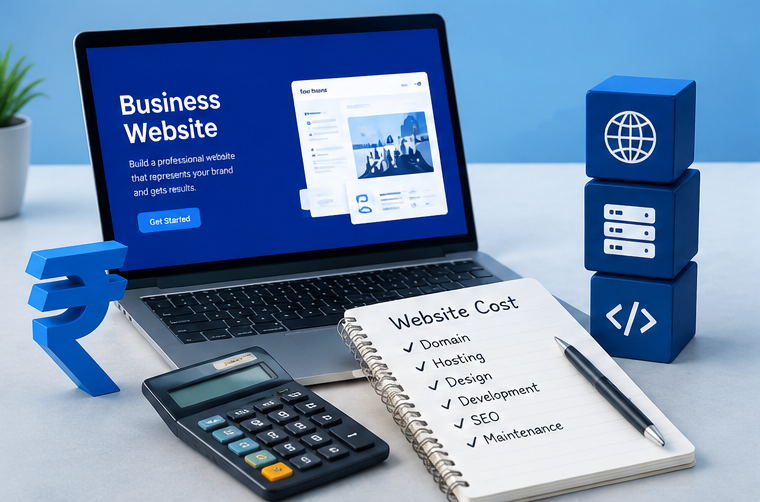
How Much Does a Business Website Cost in India? (2026 Guide)
How Much Does a Business Website Cost in India? (2026 Guide) Website development costs in India vary according to the project scope, design requirements, functionality, and the experience of the developer or agency. The following figures are illustrative estimates for budgeting, not fixed market rates or guaranteed quotations. Website Type Estimated Development Cost Basic 1–5 page business website ₹5,000–₹20,000 Professional business website ₹15,000–₹50,000 Portfolio website ₹8,000–₹30,000 Landing page ₹3,000–₹15,000 Small eCommerce website ₹25,000–₹1,00,000+ Complex or custom website ₹75,000–₹3,00,000+ Actual quotations may fall outside these ranges. Confirm what is included before comparing providers. What Can Affect the Final Price? Design and layout: A website using a professionally customised template may cost less than a project requiring a fully custom design. Number of pages: Additional service pages, product pages, landing pages, and other content can increase development time. Special features: Online payments, booking systems, customer accounts, inventory management, and third-party integrations may require additional development. Content and images: Professional copywriting, photography, illustrations, and product data preparation may be charged separately. SEO and performance: Basic technical setup differs from a comprehensive SEO campaign, ongoing content production, or advanced performance optimisation. Domain, Hosting and Maintenance Costs Development is not always the only expense. Depending on the provider and plan, you may also need to budget for: Domain renewal Web hosting renewal Business email Premium themes or plugins, if required Website backups and security monitoring Technical support and ongoing updates SEO and content services Ask whether these items are included in the initial quotation, billed annually, or charged separately. How to Compare Website Development Quotes Before choosing a provider, ask for a written proposal covering the number of pages, included features, mobile responsiveness, content responsibilities, payment terms, delivery timeline, ownership and access, and post-launch support. The cheapest quote may not include everything your business needs. Compare the deliverables and likely ongoing expenses before making a decision. Ready to Build Your Business Website? Whether you’re launching a new business or upgrading your existing website, DigitalHoJao can help you explore website solutions suited to your requirements. Contact us to discuss your project, required features, and budget. We’ll help you understand the options available for your business. Contact Us today to discuss your website development requirements.
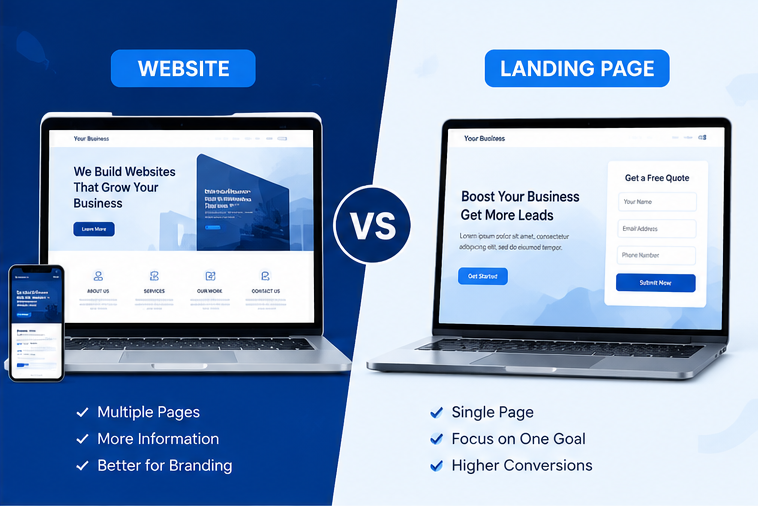
Website vs Landing Page
Website vs Landing Page – Which One Does Your Business Need? If you want to grow your business online, you may be wondering whether you need a complete website or a dedicated landing page. Both can help you reach customers, but they serve different purposes. A business website provides information about your company, products, services, and expertise. A landing page focuses on a specific campaign or action, such as requesting a quote, booking a consultation, or signing up for an offer. The right choice depends on your business goals, target audience, budget, and marketing strategy. This guide explains the differences, practical use cases, costs, and limitations of both options. What Is a Website? A website is a collection of connected web pages available under one domain. It helps customers learn about a business, explore its offerings, and contact the company. A typical business website may include: Home page About Us page Services Portfolio or Case Studies Blog or Resources Contact Us page Privacy Policy and other relevant legal pages Example of a Business Website Imagine a local digital marketing agency that offers website development, search engine optimization, and social media marketing. Its website can explain each service on a separate page, display its work, answer common questions, and provide contact details. Visitors can explore the information they need before deciding whether to contact the agency. Benefits of a Website 1. Builds business credibility A professional website gives potential customers a place to learn about your company, services, experience, and contact information. 2. Supports long-term SEO Well-written pages and useful articles can help a website appear in search results for relevant queries. Rankings are not guaranteed and depend on competition, content quality, technical factors, and other signals. 3. Explains multiple services Businesses that offer several products or services can organise their information into clear sections and individual pages. 4. Provides a long-term online presence A website can support organic search, referrals, social media campaigns, email marketing, and other customer acquisition channels. Limitations of a Website A multi-page website may require more initial planning, content, design, and maintenance than a simple landing page. If a visitor arrives from a narrowly targeted advertising campaign, too many choices may also distract them from the campaign’s main objective. What Is a Landing Page? A landing page is a web page designed around a specific marketing objective. Visitors may arrive from a Google Ads campaign, a social media advertisement, an email, or another promotional link. Depending on the goal, a landing page may encourage visitors to: Request a quote Book an appointment Register for an event Download a resource Enquire about a specific service Purchase a product A landing page often includes a clear headline, relevant details, benefits, supporting evidence, and a prominent call to action. Example of a Landing Page Suppose a fitness centre is promoting a limited-period membership offer through Instagram ads. Instead of sending visitors to a general website with many sections, it could direct them to a page explaining the offer, membership benefits, terms, and enquiry process. This gives visitors information relevant to the advertisement and makes the next step clear. Benefits of a Landing Page 1. Focuses on one primary goal A focused page can make it easier for visitors to understand what is being offered and what they should do next. 2. Matches advertising campaigns The headline, message, and offer can be tailored to the audience and advertisement that brought the visitor to the page. 3. Makes campaign measurement easier Businesses can track actions such as form submissions, bookings, purchases, or calls when suitable analytics and conversion tracking are configured correctly. 4. Can be quicker to launch A straightforward landing page may require less content and development than a complete multi-page website. The actual time and cost depend on design complexity, integrations, and functionality. Limitations of a Landing Page A landing page designed for one campaign may not provide enough information for customers who want to explore a company’s full range of services. It may also have limited long-term organic search potential if it offers little unique information or does not satisfy a broader search need. A landing page can rank in search engines, but ranking depends on its relevance, usefulness, competition, and technical quality—not simply on the page format. Website vs Landing Page: Key Differences Feature Website Landing Page Main purpose Explain a business and its offerings Encourage a specific action Structure Usually multiple connected pages Usually one focused page Navigation Generally includes site navigation Often minimises distractions Content Covers multiple topics or services Focuses on one offer or objective SEO opportunities Can target multiple relevant topics Can target a specific search intent Advertising Supports many marketing channels Often tailored to a particular campaign Measurement Tracks activity across the site Can focus on a specific conversion Maintenance May involve multiple pages and features Depends on campaign and page complexity Best suited for Long-term business presence A specific offer, product, or campaign Neither option is automatically better in every situation. The right choice depends on what visitors need and what outcome the business wants to achieve. Website vs Landing Page: Practical Business Examples 1. Local Service Business A plumber, electrician, lawyer, or consultant may benefit from a website that explains services, service areas, qualifications where relevant, contact details, and frequently asked questions. If the same business runs an advertisement for one particular service, a dedicated landing page may help visitors find the relevant details more quickly. 2. Online Store An online store generally needs a website with product listings, categories, product details, policies, and a checkout process. A landing page can support a seasonal promotion or highlight a particular product range. It should provide accurate offer details and a clear path to purchase. 3. Digital Marketing Agency An agency offering SEO, website development, and social media management can use a website to explain its complete service offering. It can also create campaign-specific landing pages for a particular service, audience, or advertising offer. 4. Event or Workshop An event organiser